Deutche Bahn Cargo
Digital Malfunction Assistant
UI/UX
Maintenance
Client
Role
Industry
Deutche Bahn
UX / UI Designer
Maintenance
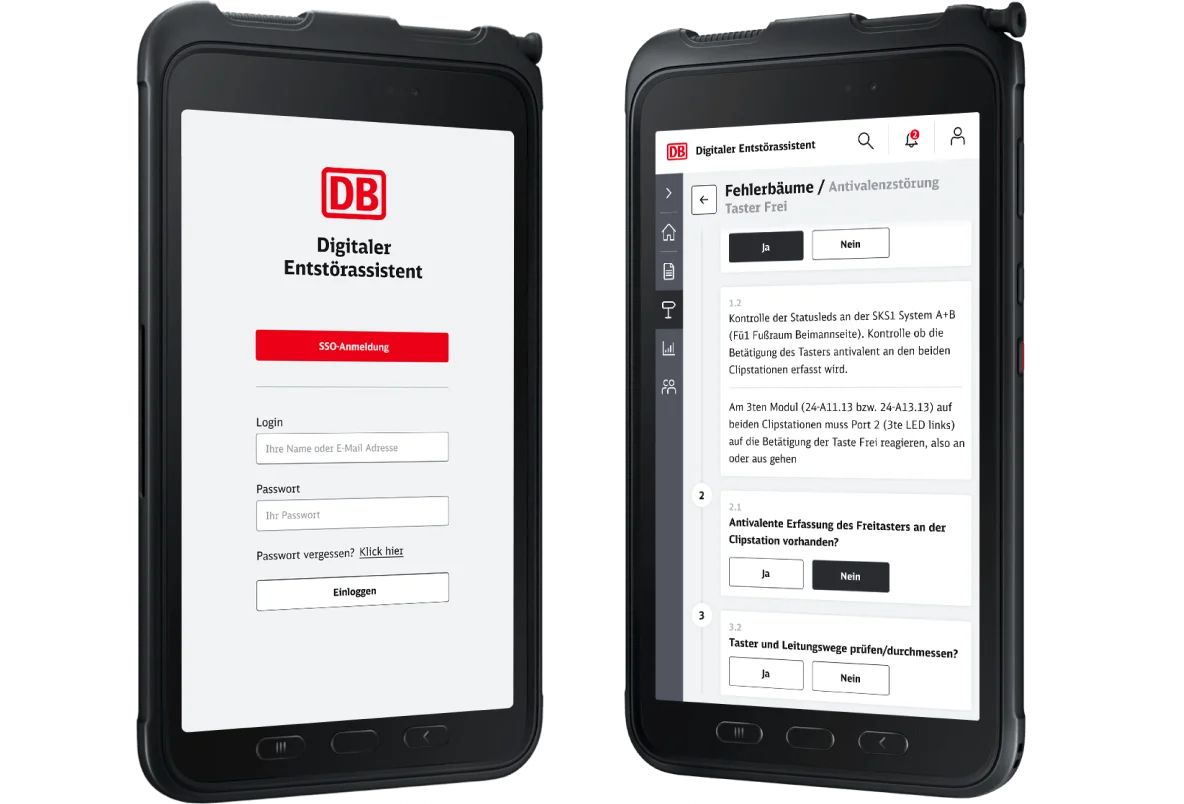
The Digital Malfunction Assistant is the central application for supporting the troubleshooting of DB Cargo locomotives in the maintenance workshops.
Problem statement
In addition to expert knowledge, which is acquired through years of learning and training, sufficient certification is also absolutely essential for the successful and efficient troubleshooting of DB Cargo locomotives.
This "knowledge" is highly distributed and varies from employee to employee. In addition, there is a constantly growing risk of losing this expert knowledge in the company when experienced employees leave the service.
Goals
The goal of the application is a significant reduction in fault clearance times and thus also an increase in locomotive/fleet availability:
- Time savings in fault clearance are about 6-22 minutes
- Planned cost savings are 5 - 15 percent
- Approx. 42,600 fault searches of all series per year after roll-out of the application
- The platform for sharing knowledge between generations
Research & Analysis
User experience research is the systematic study of target users and their requirements, to add realistic contexts and insights to design processes. We adopt various methods to uncover problems and get valuable information that can be fed into the design process.
Moderated interview
I prepared a guide - a list of questions for this interview. The guide includes questions about the participant’s background like getting to know the user, first name, age, job position, education, and a few sentences about himself later I asked deeper questions to get more relevant information. Below you can see examples of questions I asked in the interview.

I created these tags as a result of the moderated interview, to know what we need to focus on while designing this application.

Personas
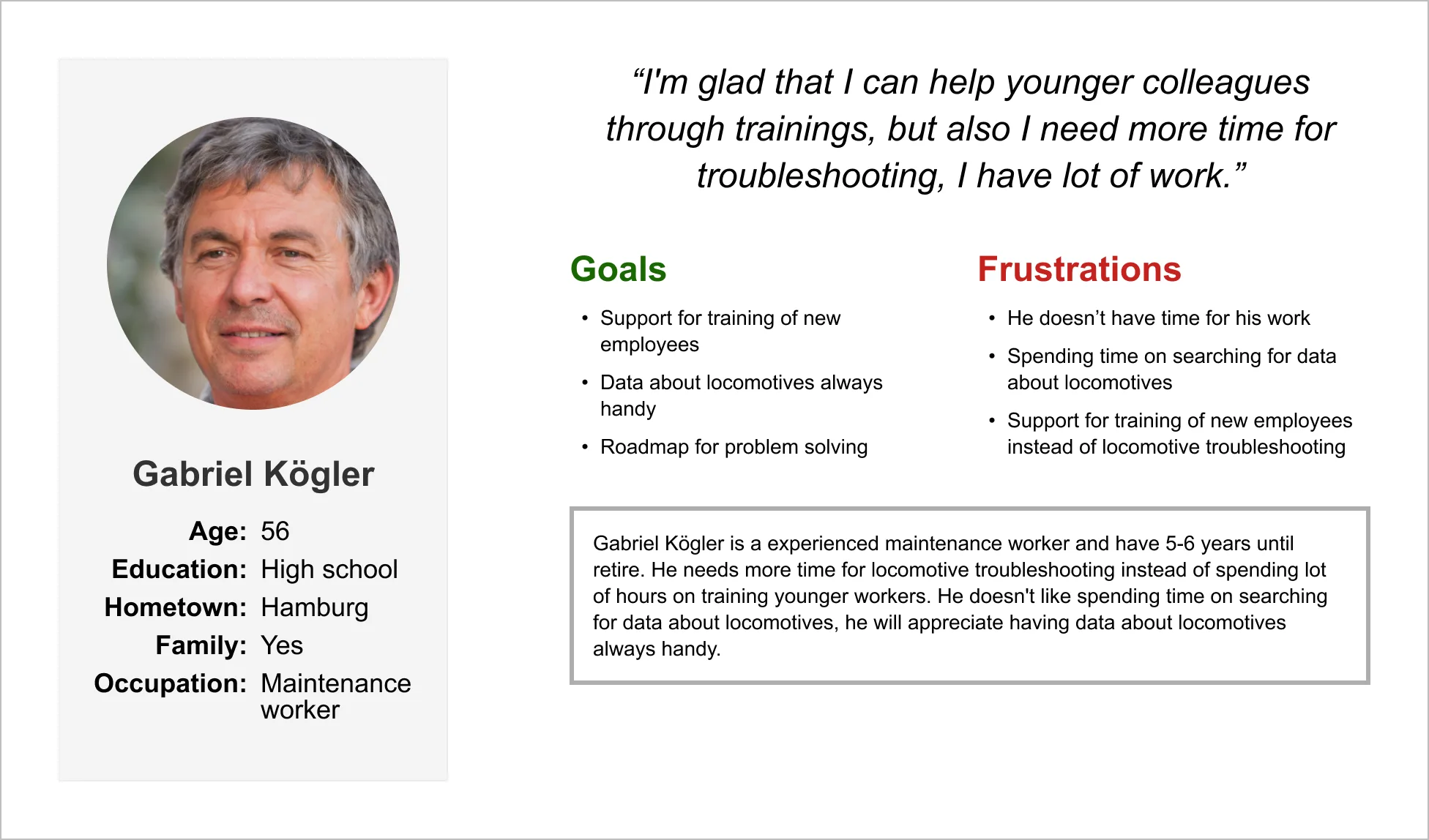
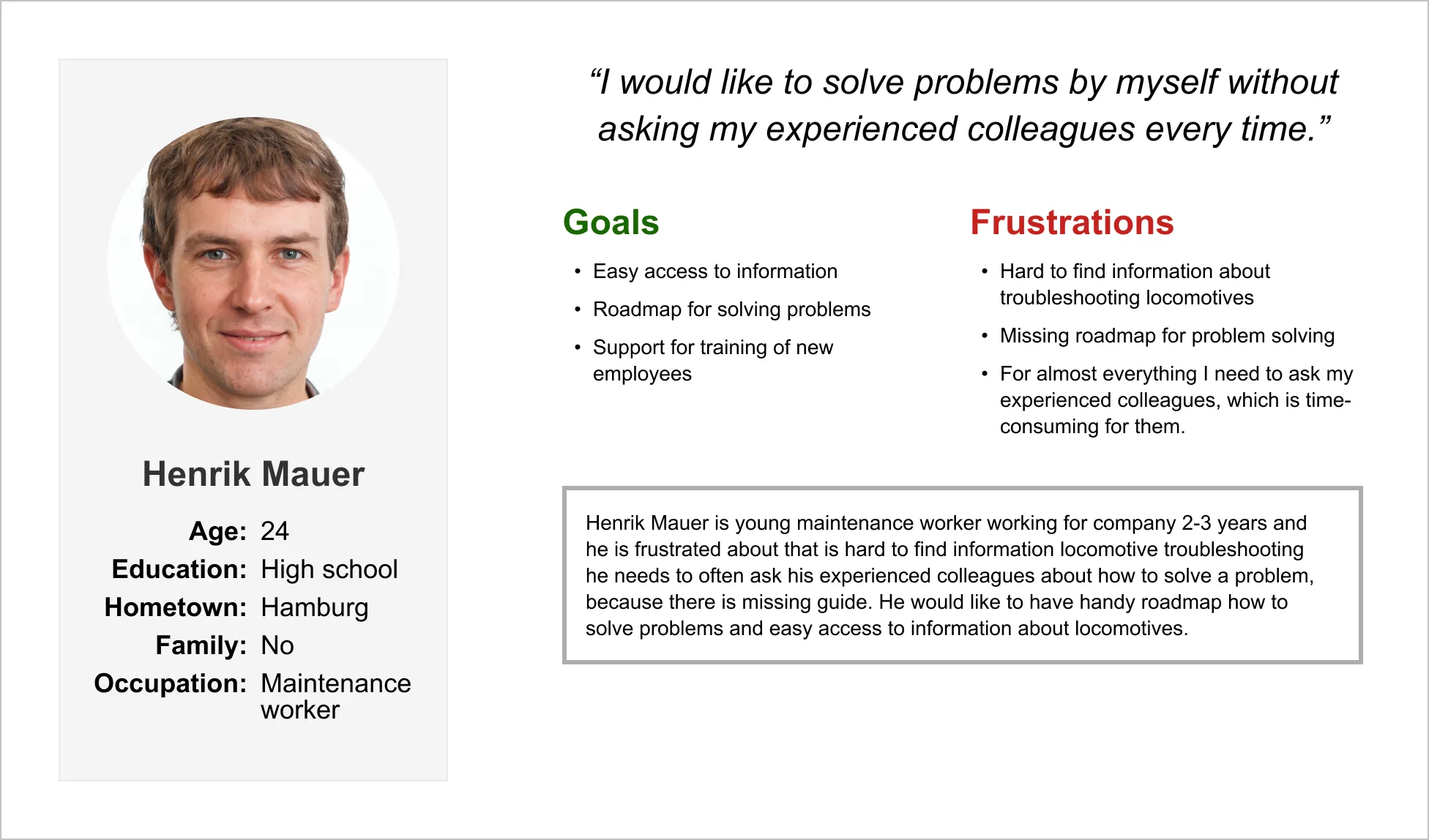
Based on moderated interviews I created personas. The first one is the old generation which has a lot of experience to share, but also a few years to retire. The second one is the young generation with minimal experience with troubleshooting locomotives but a lot of years in front of them.
User journeys
Is a step-by-step process a web visitor takes to reach their desired goal. A designer can assess issues or gaps that can be redesigned and optimized, thereby allowing user goals to be reached quicker and more efficiently.

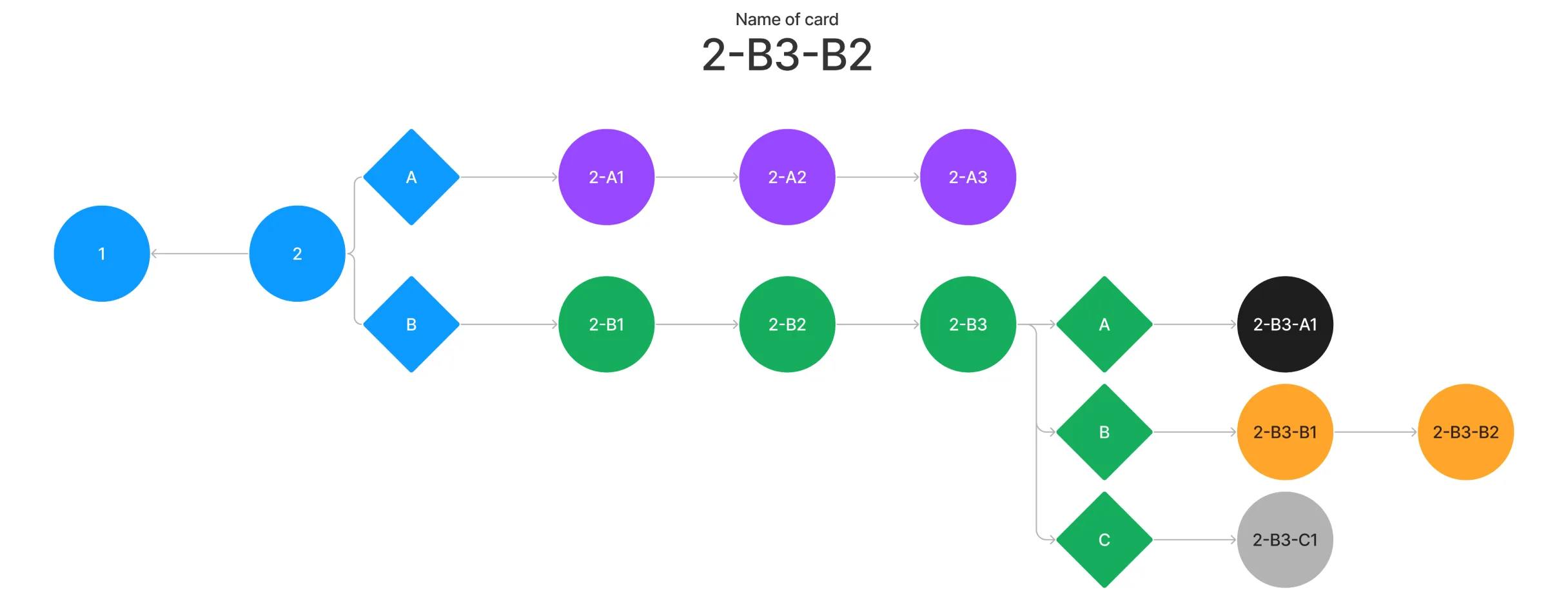
In decision tree case I created a specific "name" for every card. Imagine that the worker with an editor role (let's call him "Editor") needs to edit a specific card in the decision tree. Without the naming, he needs to scroll through a lot of content to reach to the specific one and edit. With the naming of the cards he knows, where and what he is looking for.
Example:The Editor will receive a message: "In fault 325 card 2-b3-b2 is a mistake, we need to change the sentence in the description." With this naming Editor knows what specific fault and specific card he needs to change.
The logic behind the naming of these cards are:
• number is the ordering of the card in flow
• letter is selected option
Wireframes
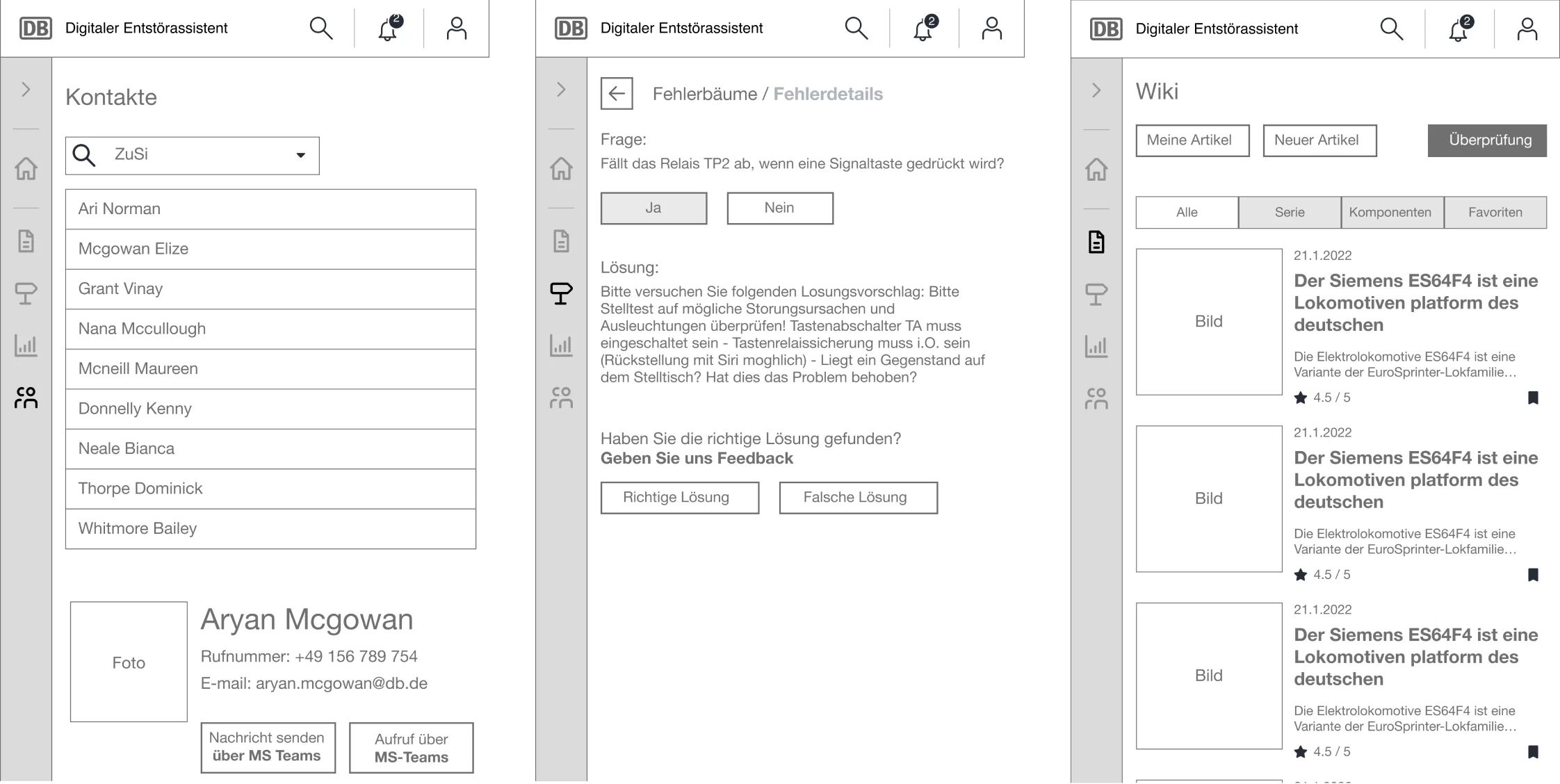
Through our user research - user interviews, we got valuable information about our users. They are mostly businessmen from India, Pakistan, and Indonesia. They want to earn more money by investing in the world’s markets on the go.
Testing
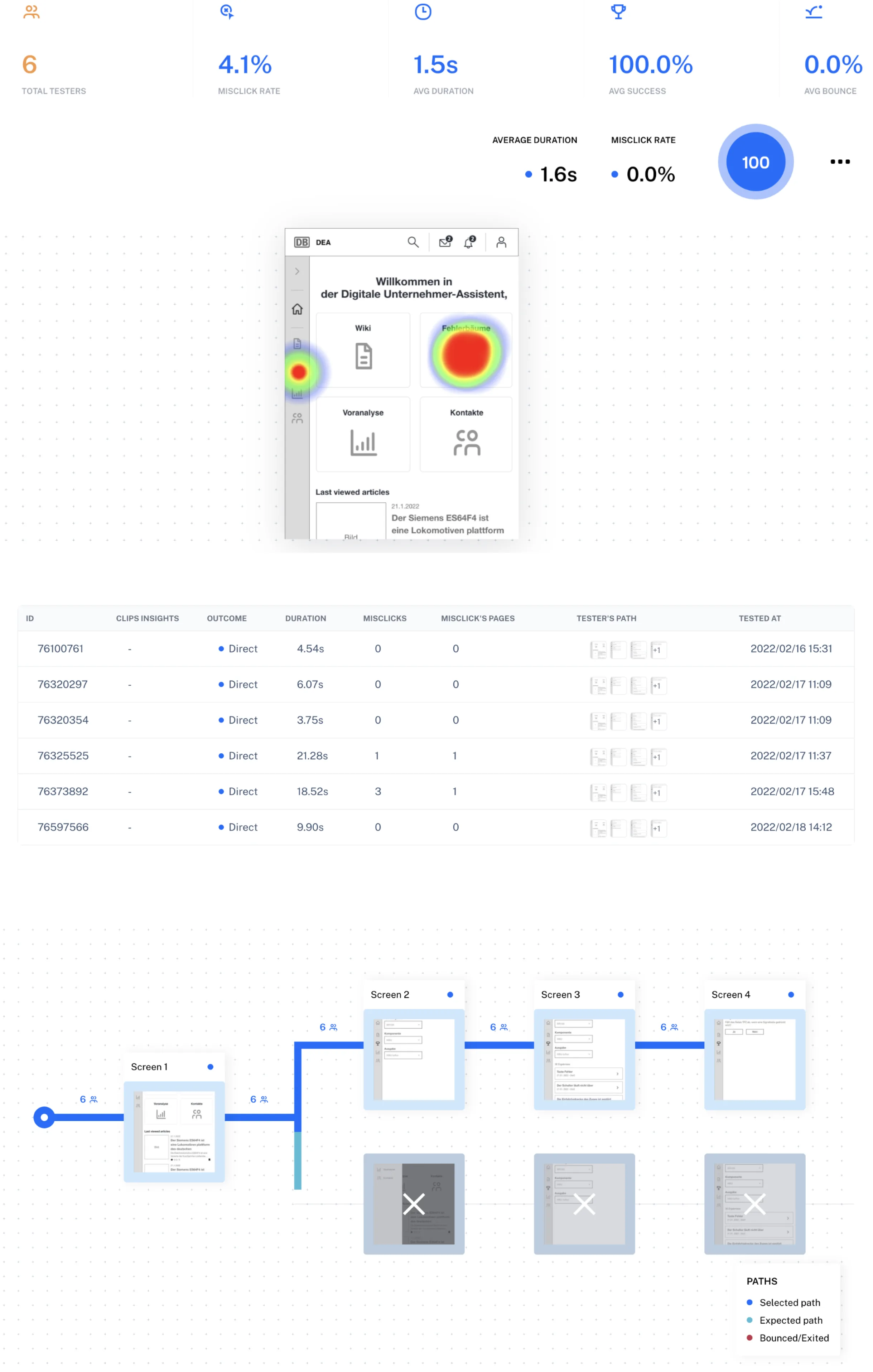
UX user testing is the process of collecting information about usability and overall user experience from actual users during the design process. In our case, I used the Maze application and created flows that we tested on users. Below you can see the results of testing one of our flows.
Typography and UI components
The highly readable typography keeps the visual balance of the app and increases accessibility. With UI components, we can replicate designs quickly by utilizing premade UI components and elements. Using the same elements over and over reduces the need to reinvent the wheel and thus risking unintended inconsistency.

Design
Based on our user interviews we created the first wireframes with the cooperation of stakeholders. We decided, that we will test wireframes on our stakeholders, and after this, we will finish MVP (minimum valuable product) we and test on users the real app. Because our users don't understand the idea of wireframes, prototypes and it's easier to get feedback from them from a real application. Below you can see the MVP design version of our application.


Prototype
Clickable prototype
In the prototype are included a registration process, dashboard, news, calendar, markets indices, watchlist, investing process, deposit, withdraw, and settings. The prototype is created in Figma and you can find the link below.